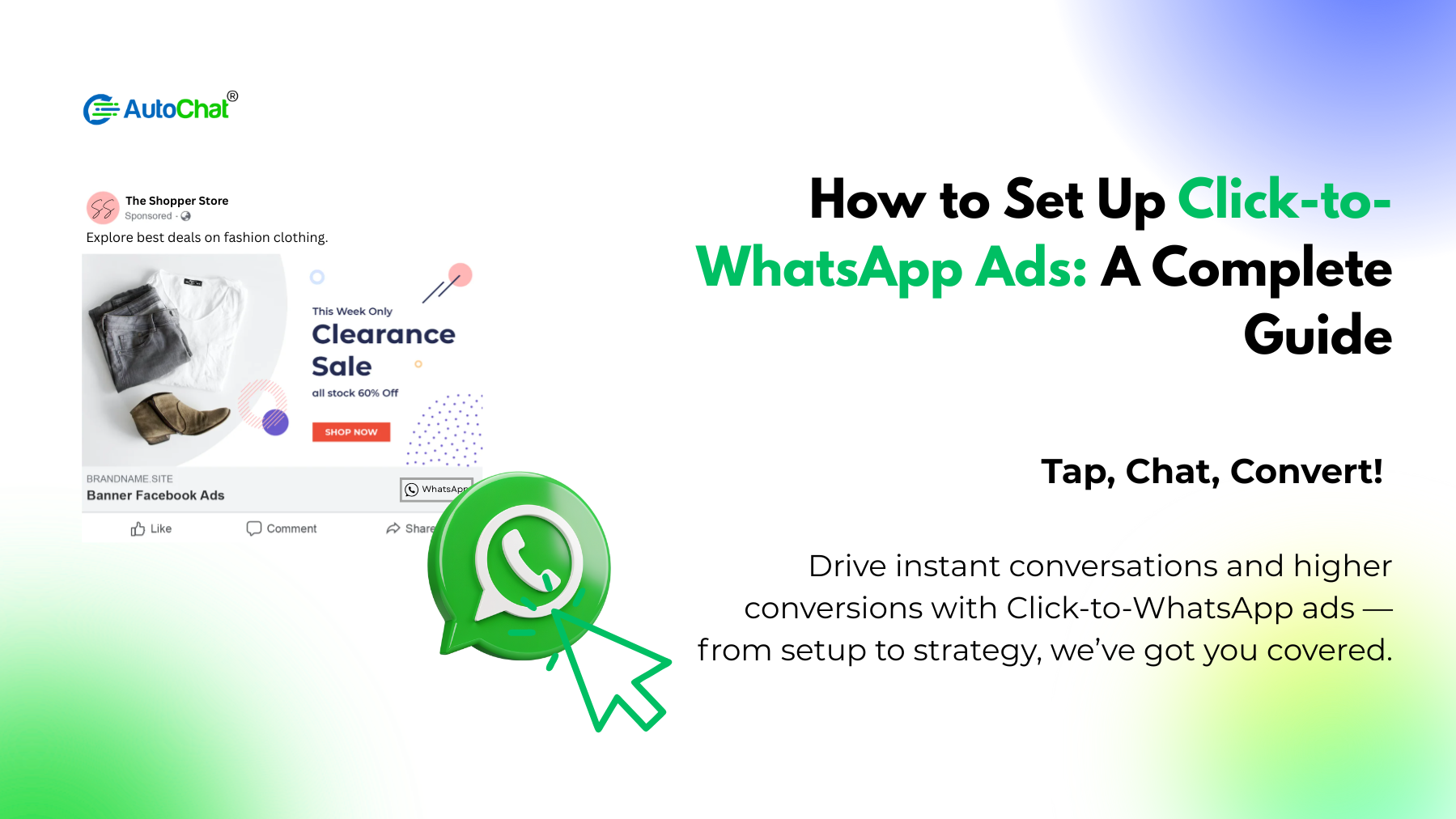

Step-by-Step Guide to Setting Up Click-to-WhatsApp Ads
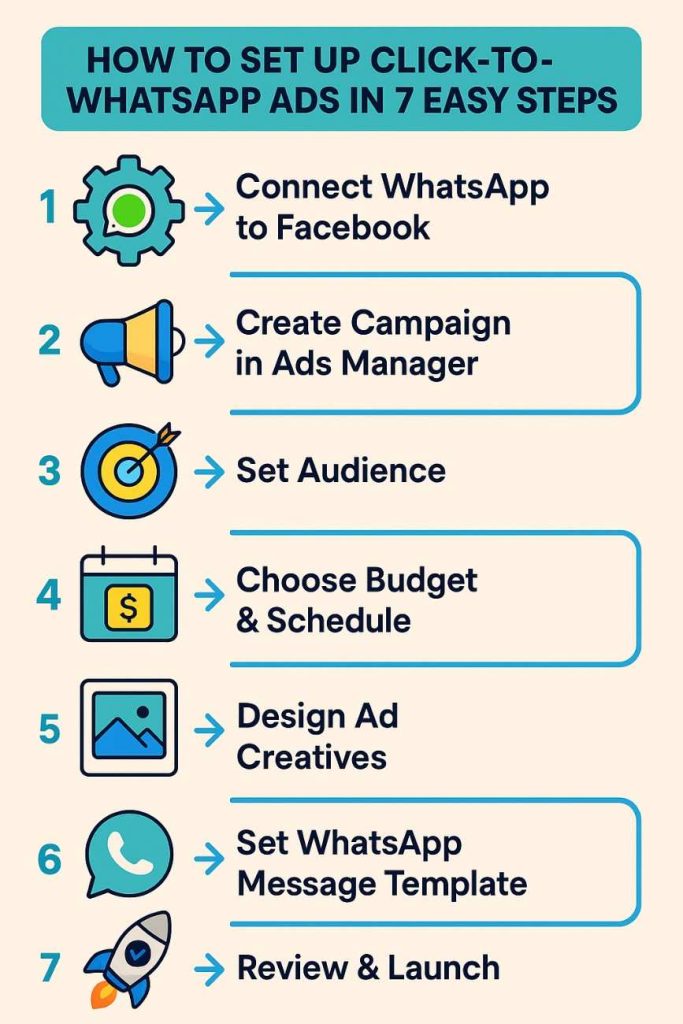
Step 1: Connect Your WhatsApp Business Account to Facebook
First things first – you need to make sure your WhatsApp Business account is properly connected to Facebook:
- Go to your Facebook Business Page
- Click on “Settings” at the top of your page
- Select “WhatsApp” from the left menu
- Enter your business phone number and follow the verification steps
- Once verified, your WhatsApp Business account will be connected to your Facebook page
Step 2: Create a New Campaign in Ads Manager
Now, let’s start creating your ad:
- Open Facebook Ads Manager
- Click on “Create” to start a new campaign
- Choose “Messages” as your marketing objective
- Name your campaign something recognisable (like “WhatsApp Lead Generation – June”)
- Under “Message Destination,” select “WhatsApp”
Step 3: Define Your Target Audience
The success of your ad depends largely on reaching the right people:
- Use the audience targeting tools to define who will see your ads
- Consider factors like location, age, gender, interests, and behaviors
- If you have customer data, you might want to create a custom audience
- For retargeting, you can create an audience of people who have visited your website
Remember, more specific isn’t always better. Sometimes, a broader audience works well for Click to WhatsApp ads since you’re looking for people interested in having a conversation.
Step 4: Set Your Budget and Schedule
Now it’s time to decide how much you want to spend:
- Choose between a daily budget or lifetime budget
- Set your ad schedule – when you want your ads to run
- Select automatic or manual bidding (automatic is recommended for beginners)
- Review the estimated daily reach to ensure it aligns with your goals
Step 5: Design Your Ad
This is where creativity comes in:
- Select where you want your ads to appear (Facebook News Feed, Instagram, etc.)
- Choose your ad format (single image, video, carousel, etc.)
- Upload eye-catching visuals that represent your offer
- Write compelling ad copy that encourages people to message you
- Add a clear call-to-action like “Send Message”
When designing your ad, remember to highlight the benefit of messaging your business. Will they get a discount? Quick customer service? Product recommendations? Make it clear why they should click that WhatsApp button.
Step 6: Set Up Your WhatsApp Message Template
One of the most powerful features is the ability to set up an automatic first message:
- In the “WhatsApp Setup” section, create a welcome message
- Keep it friendly, concise, and include a clear next step
- Consider adding personalisation with
{first_name}variables - Make sure your message aligns with what your ad promised
A good template might be: “Hi {first_name}! Thanks for reaching out about our summer collection. How can we help you find the perfect item today?”
Step 7: Review and Launch
Before you put your money behind the ad:
- Use the preview tool to see how your ad will look on different placements
- Double-check all your settings and targeting
- Verify that your WhatsApp number is correct
- Make sure your team is ready to respond to incoming messages
- Click “Publish” when you’re ready to launch
Additional Tips for Successful Click to WhatsApp Ads
Getting the technical setup right is just the beginning. Here are some additional tips to maximise your results:
1. Respond Quickly
The biggest advantage of WhatsApp ads is immediate connection. Don’t ruin it by responding slowly:
- Aim to respond within minutes, not hours
- Consider using quick replies for common questions
- Set up away messages for times when your team isn’t available
- If possible, have dedicated staff managing WhatsApp inquiries
2. Create Compelling Offers
Give people a reason to message you:
- Exclusive discounts for WhatsApp customers
- Limited-time offers that create urgency
- Free consultations or product recommendations
- Easy access to information not available elsewhere
3. Test Different Ad Formats
Not all ad formats work equally well for all businesses:
- Try single images vs. carousel ads
- Test video content showing your product or service
- Experiment with different ad copy lengths
- Use A/B testing to compare different approaches
4. Optimise Your WhatsApp Business Profile
When people click through to WhatsApp, make sure your business profile looks professional:
- Add your business hours
- Include a detailed business description
- Upload your logo as your profile picture
- Set up a catalog if you sell products
5. Track and Measure Results
Like any marketing effort, you need to know what’s working:
- Monitor your ad performance in Facebook Ads Manager
- Track conversion rates from WhatsApp conversations
- Note common questions or concerns that come up
- Calculate your cost per lead or conversation
Creative Ways to Use Click-to-WhatsApp Ads
These ads are versatile and can be used in many different ways:
- Provide Instant Customer Support: Use the ads to promote quick resolutions to problems or questions. This works particularly well for tech products or complex services where customers might need guidance.
- Offer Personal Shopping Assistance: Fashion, furniture, and gift retailers can use these ads to offer personalised product recommendations based on customer preferences.
- Schedule Appointments or Consultations: Service businesses like salons, clinics, or consultancies can use WhatsApp ads to make booking appointments easy and conversational.
- Collect Pre-Orders or Reservations: Restaurants, event venues, or product launches can use these ads to gather pre-orders or reservations through a simple chat.
- Answer Product Questions: For products that might require explanation or comparison, WhatsApp provides a perfect channel for detailed conversations.
- Share Limited-Time Offers: Create urgency by advertising flash sales or limited-time promotions with immediate access through WhatsApp.
Common Challenges and Solutions
While Click to WhatsApp ads are powerful, they do come with challenges:
Challenge: Managing High Message Volume
Solution: Consider using a WhatsApp Business API solution that allows multiple team members to respond from one business number.
Challenge: Maintaining Consistent Response Quality
Solution: Create response templates for common questions and establish clear guidelines for your team.
Challenge: Converting Conversations to Sales
Solution: Train your team on soft selling techniques and create a clear pathway from chat to purchase.
Challenge: Measuring ROI
Solution: Use unique offer codes or dedicated landing pages for WhatsApp customers to better track conversions.
Supercharge Your WhatsApp Marketing with AutoChat
While click-to-WhatsApp ads are a fantastic way to start conversations with potential customers, managing those conversations at scale can become challenging. This is where AutoChat comes in.
AutoChat is a powerful tool that helps businesses automate and optimise their WhatsApp marketing. With AutoChat, you can:
- Set up intelligent automated responses to common questions
- Create personalised conversation flows that guide customers toward purchase
- Handle multiple conversations simultaneously without adding staff
- Collect and analyse customer data from your WhatsApp interactions
- Seamlessly transition between automated responses and human agents when needed
By combining click-to-WhatsApp ads with AutoChat’s automation capabilities, you can scale your WhatsApp marketing efforts without sacrificing the personal touch that makes WhatsApp so effective.
Businesses using AutoChat have seen up to 40% higher conversion rates from their Click to WhatsApp ads because they can respond instantly, nurture leads effectively, and provide consistent customer experiences around the clock.
Ready to take your WhatsApp marketing to the next level? Visit AutoChat today to learn how our platform can help you maximise the return on your Click to WhatsApp ad campaigns.
Conclusion
Click to WhatsApp ads bridge the gap between traditional advertising and personal conversation. They allow you to reach people through familiar platforms like Facebook and Instagram, then continue the relationship in the more intimate setting of WhatsApp.
By following the steps in this guide and implementing the additional tips, you’ll be well on your way to creating effective campaigns that not only generate leads but also build lasting customer relationships.
Remember, the key to success with these ads is responsiveness and relevance. Make sure your team is ready to engage meaningfully with the conversations your ads create, and you’ll see the true power of combining social advertising with messaging apps.
Start small, learn from your results, and continue optimising. Before long, Click to WhatsApp ads might become one of your most valuable marketing channels.