

Replying to every message manually is time-consuming. Automation helps by sending instant replies, scheduling messages, and keeping customers updated. This saves time, reduces errors, and makes communication smoother. Let’s read why automating WhatsApp messages is helpful and how small businesses use it to grow.
Table of Contents
Why Automate WhatsApp Messages?
WhatsApp automation makes business communication faster and easier. Here’s why it’s useful:
Save Time with Automated Setups
Setting up automated messages means you don’t have to reply to every customer manually. Once you create a set of messages, the system automatically responds to customer queries, confirms orders, and sends updates. This saves you hours of work every day.-
Faster Response Time
Customers expect quick replies, and waiting too long can make them lose interest. Automated messages reply instantly, so customers get the information they need without waiting. This improves their experience and makes your business look more professional. -
Personalized Messages
Automation doesn’t mean sending the same message to everyone. You can include the customer’s name, order details, or past purchases to make messages feel more personal. For example, a clothing store can send a message like, “Hi Sarah, your order for the blue dress has been shipped!” -
Cost-Effective
Hiring more people to handle customer service can be expensive. Automation helps reduce costs because a chatbot or automated system can handle thousands of messages at once, which a human team would take much longer to do. -
Better Customer Engagement (With Reminders and Updates)
Engaging customers means keeping them informed and interested in your business. Automated messages can remind customers about appointments, special discounts, or new products. For example, a dentist can send a reminder: “Your appointment is tomorrow at 3 PM. See you soon!” -
Improved Conversion Rate (More Sales and Bookings)
Many people forget about their shopping carts or hesitate before buying. WhatsApp automation can send follow-up messages reminding them to complete the purchase or offering a small discount. This increases sales because customers are more likely to return and buy. -
Workflows Help Streamline Business Operations
Automation can do more than just send messages. It can help organize tasks like order confirmations, payment reminders, and feedback collection. Instead of doing these things manually, the system follows a smooth process, making the business run more efficiently. -
Reduce Human Error
People can make mistakes when typing order details, answering customer questions, or managing schedules. Automated messages reduce these errors because they follow a set pattern and always provide accurate information. -
Chatbot Available 24/7
Unlike humans, chatbots don’t need sleep or breaks. Customers can ask questions or place orders at any time of the day, even outside business hours, and still get an instant response. This keeps the business running all the time. -
Analytics Help Refine Communication Strategies
Automation tools provide reports on how customers interact with messages. Business owners can see what works and what doesn’t, then adjust their messaging strategy to improve engagement and sales.
Pro Tips
Use automation for common questions to save time.
Personalize messages to keep customers engaged.
Avoid sending too many promotional messages to prevent being marked as spam.
How Small Businesses Use WhatsApp Automation? Analyzing Use Cases
Different businesses use automation in unique ways. Here are some examples:
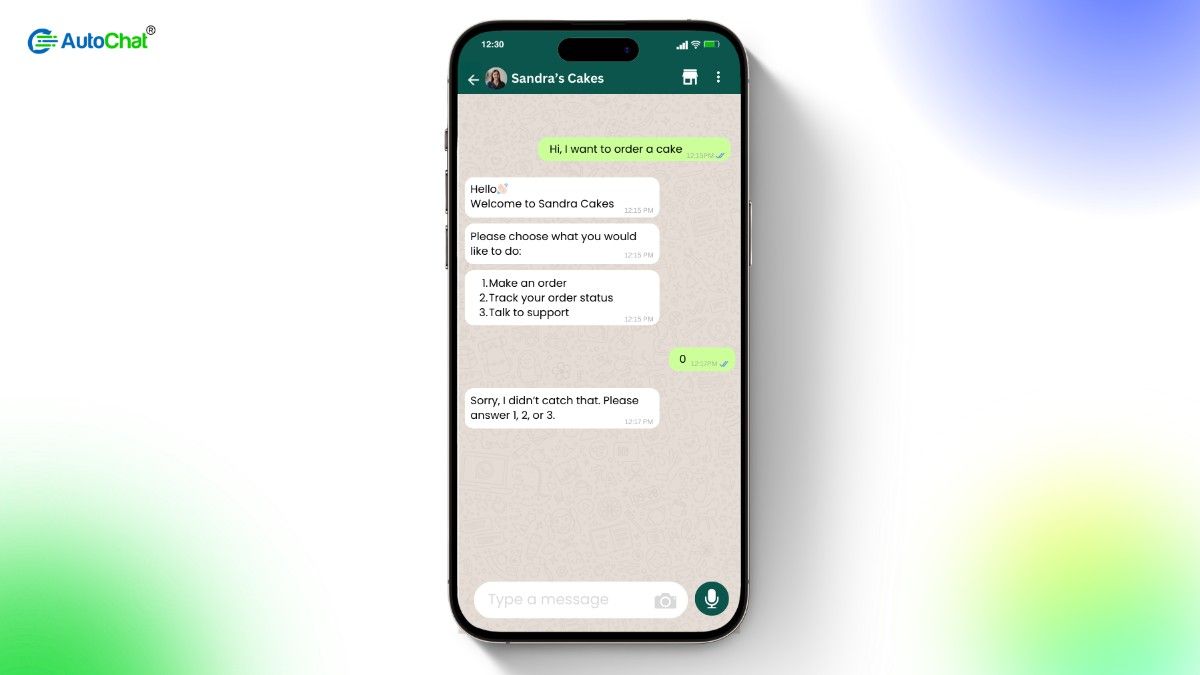
Online Stores: Answering Customer Questions Instantly
E-commerce stores get a lot of questions about orders, returns, and payments. A chatbot can answer these instantly.
Example: A small jewelry store uses automation to confirm orders, send shipping updates, and share discount offers.Salons: Sending Appointment Reminders
Salons work on bookings, and missed appointments waste time. Automated messages remind customers about their appointments.
Example: A hair salon sends reminders 24 hours before appointments, reducing last-minute cancellations.Bakeries: Confirming Orders and Tracking Deliveries
Bakeries get many custom orders. WhatsApp automation sends order confirmations and delivery updates.
Example: A home bakery notifies customers when their cakes are ready and sends tracking links once dispatched.Clothing Brands: Announcing Sales and Offers
Fashion brands use WhatsApp automation to send messages about discounts, restocks, and new arrivals.
Example: A local clothing brand sends alerts when new stock arrives, increasing sales.Yoga Tutors: Reminding About Classes
Yoga instructors can use WhatsApp to remind students about class schedules.
Example: A freelance yoga teacher sends reminders for free online classes, ensuring more people join.Restaurants: Getting Feedback and Sending Promotions
Restaurants can use WhatsApp automation to collect customer reviews and promote special offers.
Example: A small cafe sends automated feedback requests after visits and shares discounts for returning customers.Local Bookstores: Recommending Books Automatically
Independent bookstores can use automation to send personalized book recommendations.
Example: A neighborhood bookstore notifies customers about new arrivals in their favorite genres.Event Planners: Sending Event Details and RSVP Reminders
Event planners can automate messages for invitations, reminders, and confirmations.
Example: An event planning company sends automated RSVP messages and reminders for business events.Recovering Abandoned Carts: Reminding Customers to Complete Purchases
Many customers add items to their carts but don’t check out. Automated messages remind them.
Example: A handmade crafts store sends a message reminding customers about their abandoned carts and offers a discount.
Conclusion
WhatsApp automation makes business communication smoother and more effective. Small businesses save time, reduce costs, and improve customer relationships. Whether it’s an online store handling FAQs, a salon sending appointment reminders, or a bakery confirming orders, automation simplifies tasks and ensures better service.
Businesses that automate WhatsApp messages can respond faster, keep customers engaged, and increase sales. If you haven’t tried automation yet, now is the time to start.
AutoChat: The Best WhatsApp Automation Tool
If you’re looking for an easy way to automate WhatsApp messages, AutoChat is the perfect solution. It helps businesses send instant replies, reminders, order updates, and promotions without manual effort.
With AutoChat, you can:
- Set up automated replies for common customer questions
- Send scheduled messages for appointments, sales, or promotions
- Recover abandoned carts by reminding customers to complete purchases
- Offer 24/7 customer support with chatbots
- Track message performance with analytics
Start using AutoChat today and make your business communication smoother and more efficient.
FAQ's
No, there are affordable solutions designed for small businesses with different pricing options. Connect with AutoChat team for a custom pricing plan as we support startups and small businesses.
Yes, messages can include customer names, order details, and preferences to make them more engaging.
You can use platforms like AutoChat to easily set up automated messaging and improve customer interactions. By picking a WhatsApp Automation service provider in 24/7 support, you can get help regardless of time and time zone.
Yes, automation allows bulk messaging while keeping it personalized for each customer. This can be achieved by defining variables and connected your automation tool with your CRM system.
Yes, businesses can use chatbots and automated replies to handle customer queries efficiently.